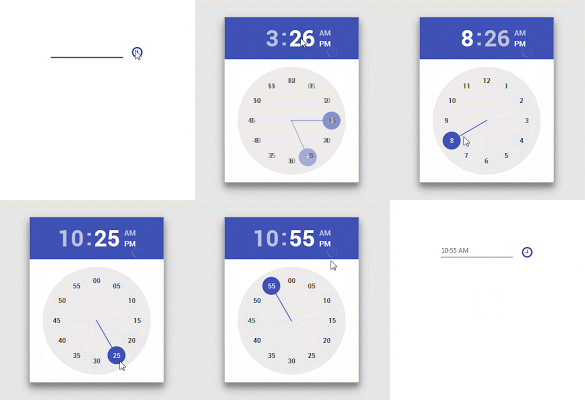
One problem I have faced when developing java applications was the old look. Even after the introduction of Nimbus look and feel, the user interface components felt too static and dead. Then JavaFX came in to the scene and provided a much better interface and control elements.
In this post, I would like to discuss on how to design our JavaFX applications using material design components. The developers at JFoenix had done an impressive job on developing material library for JavaFX. All that we have to do is to download the library and add it into Scene Builder and our application. I have made a video tutorial on setting-up the JFoenix library and making a material login interface.
Adding JFoenix to Scene Builder
First, download the library from https://github.com/jfoenixadmin/Jfoenix. Once you get the Jar file, you have to add it into Scene Builder. Once you add this library to Scene Builder, you can use components available in JFoenix library in your project with just drag and drop.
Within SceneBuilder GUI, there is a setting button, as you can see in the following screenshot. Once you click on it, you will get a context menu. Select JAR/FXML manager which will open the library manager window.

Then, select Add Library/FXML from file system from the window. This will open a file selection window. Select the JFoenix Jar file. This will open another window listing all the components available in the library. Just select all. Once you successfully add this library, it can be seen under installed libraries/FXML files list.

After adding the components to Scene Builder, It’s pretty much drag drop. For JFXButton, you can set ripples, set it as RAISED…. oh my goodness! I have been developing desktop applications for a long time and this is the first time getting my hands on these much cool UI components.
Watch Video Tutorial about using JFoenix library to make a login Application
I have posted a video tutorial in Genuine Coder YouTube channel about using JFoenix library. Watch it right from here.
Complete JFoenix Components Tutorial
Watch JFoenix tutorial from following playlist. Contains 19 videos about JFoenix components.
JavaFX Material Design Library Management Software Development
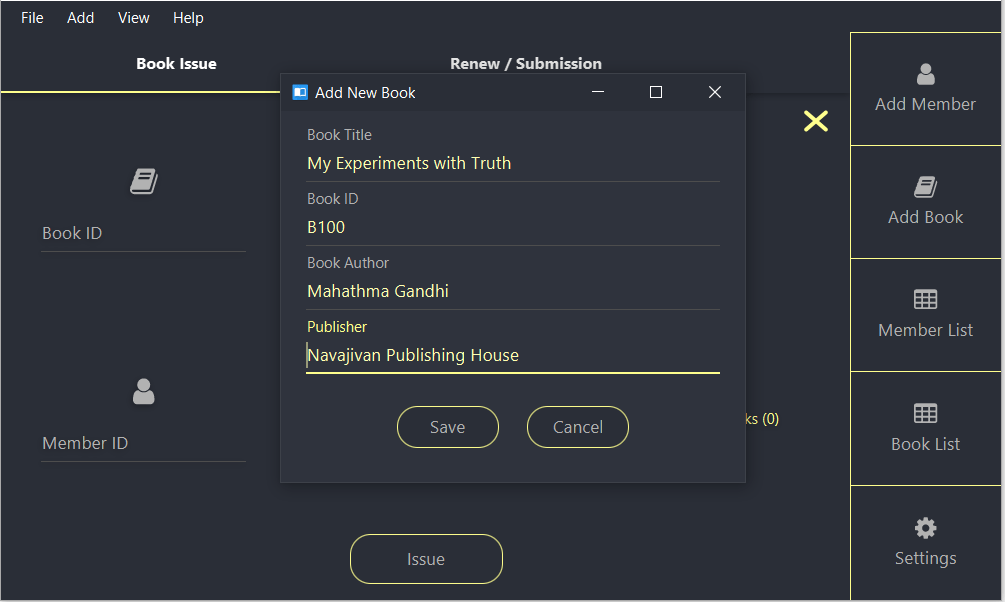
I have created a complete library management program using JavaFX and JFoenix based on Material Design. The Complete tutorial of the development is available in Genuine Coder YouTube Channel. Read more about this project
Material UI Components available in JFoenix
-
- JFXBadge
- JFXButton
- JFXCheckBox
- JFXColorPicker
- JFXComboBox
- JFXDatePicker
- JFXDialog
- JFXDialogLayout
- JFXDrawer
- JFXDrawerStack
- JFXHamburger
- JFXListCell
- JFXListView
- JFXNodesList
- JFXPasswordField
- JFXPopup
- JFXProgressbar
- JFXRadioButton
- JFXRippler
- JFXSlider
- JFXSnackbar
- JFXSpinner
- JFXTabPane
- JFXTextArea
- JFXTextField
- JFXToggleButton
- JFXToggleNode
- JFXTogglePane
- JFXToolbar
- JFXTreeTableCell
- JFXTreeTableRow
- JFXTreeTableView
- NumberValidator
- RequireFieldValidator


