Tag: Cpp

  • C++ Library Management Software with Source Code

    C++ Library Management Software with Source Code

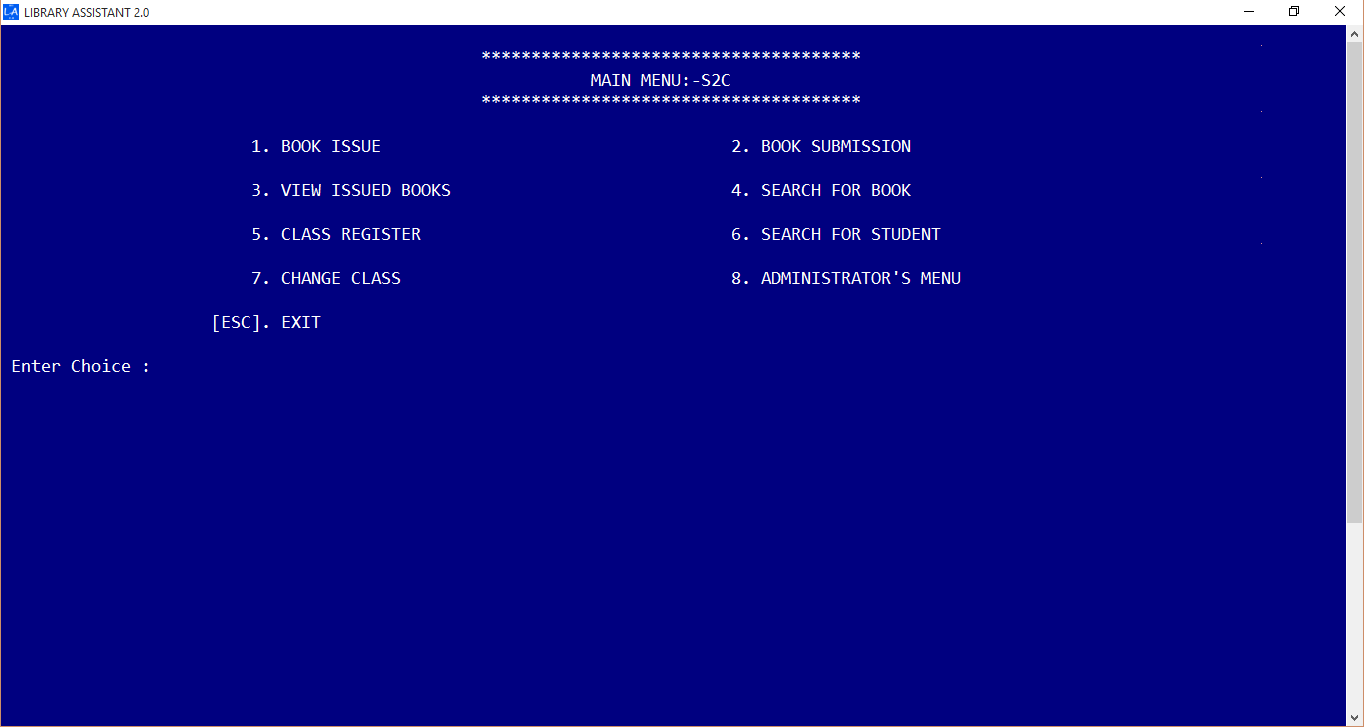
    Believe me, building a library management software in C++ is always a difficult thing. I have done library management software in java, c# and felt so much easiness in getting things done. Yet, this was my first library management software. Here I am going to share a simple library management program in C++ / Cpp as console application for schools and colleges. This program took me around 4 months to complete. The code is written as simple as possible. During the initial stage there were only just book issue and book submission modules. Later i have added more and more functions to improve Library Assistant. Thanks to Object Oriented Programming.

    Features

    Simple and easy User Interface
    Dasboard
    Ability to add and edit students, books
    Add New Student Window
    Dedicated Admin Panel
    Admin Panel
    Barcode Reader Support

    Bar code is supported for book issue and book submission process.

    Organize Members by their Class / Level
    Member Organization
    Library Overview Panel on Startup
    Library Overview
    Multithreaded book and member search
    Multithreaded Book Search
    Single-click Book Submission
    Easy to use book submission

    How to run the program ?

    1. Download the zip file from above link
    2. Run Library Management System.exe
    3. The default password is ‘PPM’ (case sensitive).
    4. Done !

    Read About Java Implementation of Library Software; Library Assistant 4

    Keywords : Library Management system c++ – Library Management software c++
  • C++ program to find the largest and second largest number present in an array

    C++ program to find the largest and second largest number present in an array

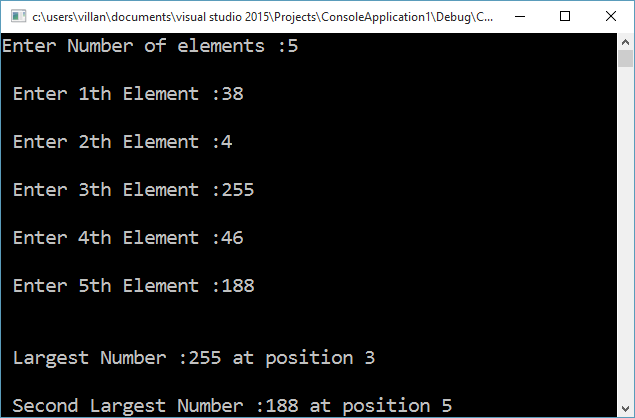
    C++ program to find the largest and second-largest numbers present in an array along with their location index on the array. This program first find the largest number by going through all the numbers in the array. It stores the index of the largest number on the variable pos1 and largest number is the largest variable. A second for loop is applied, which also check for the largest number. When it hits on the largest found by the first loop, it is bypassed using a continue statement and hence will get the second-largest number.

    #include <iostream>
    #include <conio.h>
    using namespace std;
    
    void main()
    {
    	int a[10], i, largest = 0, second_largest = 0, pos1, pos2;
    	int n;
    	cout << "Enter Number of elements :";
    	cin >> n;
    	for (i = 0; i < n; ++i)
    	{
    		cout << "n Enter " << (i + 1) << "th Element :";
    		cin >> a[i];
    	}
    	//Finding Largest
    	for (i = 0; i < 10; ++i)
    	{
    		if (a[i] > largest)
    		{
    			largest = a[i];
    			pos1 = i;
    		}
    	}
    	//finding second largset
    	for (i = 0; i < 10; ++i)
    	{
    		if (a[i] > second_largest)
    		{
    			if (a[i] == largest)
    				continue;	//Ignoring largest in order to get second largest
    			second_largest = a[i];
    			pos2 = i;
    		}
    	}
    	cout << "nn Largest Number :" << largest << " at position " << (pos1 + 1);
    	cout << "nn Second Largest Number :" << second_largest << " at position " << (pos2 + 1);
    
    	getch();
    	return;
    }
    

    *Compiled using Visual Studio

    OutputOutput of program to find the largest and second largest number present in an array

  • Using Barcode Reader for your C++ Program

    Using Barcode Reader for your C++ Program

    As you might have heard, Bracode readers are special input devices for computers to read barcode. Barcode reader first scan the barcode using a light beam( usually a laser beam ) and analyze the width and distance between the bars. After successful scanning it convert the data into ASCII code which can be decoded by our computer. Simply we can say, a ps/2 barcode reader is same as that of a keyboard. Both generates the same ASCII code for representing an alphanumeric character. For more about ascii, read my article.

    A ps/2 barcode readrer is the simplest at the same time more efficient for general purposes. In C++ the header file iostream.h defines cin, cout commands for standard input and output operations respectively. As default, keyboard is the standard input device. Since our ps/2 barcode reader can act as an alternative keyboard by reading and sending ASCII codes to the computer, surely we can use our cin command for data input.

    I hope it is clear for you now. For further study, Let’s just analyze the below situation. Imagine you have a barcode containing data ‘1001’. When you scan it with barcode reader it generates a signal in ASCII code and send it to computer in the same way when you press ‘1001’ using your keyboard. The computer can’t distinguish from where the data came. So further processes can be programmed as our intentions.

    There are a lot of type barcode readers. For general purposes like supermarket, library programs, i recommend ps/2 barcode reader which can be used along with our keyboard. let’s just take a sample c++ program to read from barcode reader.

    #include<iostream>
    #include<conio.h>
    using namespace std;
    void main() {
      int a = 0;
      //Scan a barcode (simple barcode containing a number ). Don't use keyboard  
      cin >> a;
      if (a) {
        cout << "n Data Received !n" << "Barcode is :" << a;
      }
      return;
    }
    

    Suggested Read : The Quick Response Codes